Overview
GrowwStitch was looking to support new boutiques in their infancy, and wanted their product to be easily accessible for people with minimal tech know-how. We designed the UI for their application with that constraint in mind. To make it feel approachable and usable by anyone, regardless of their background.
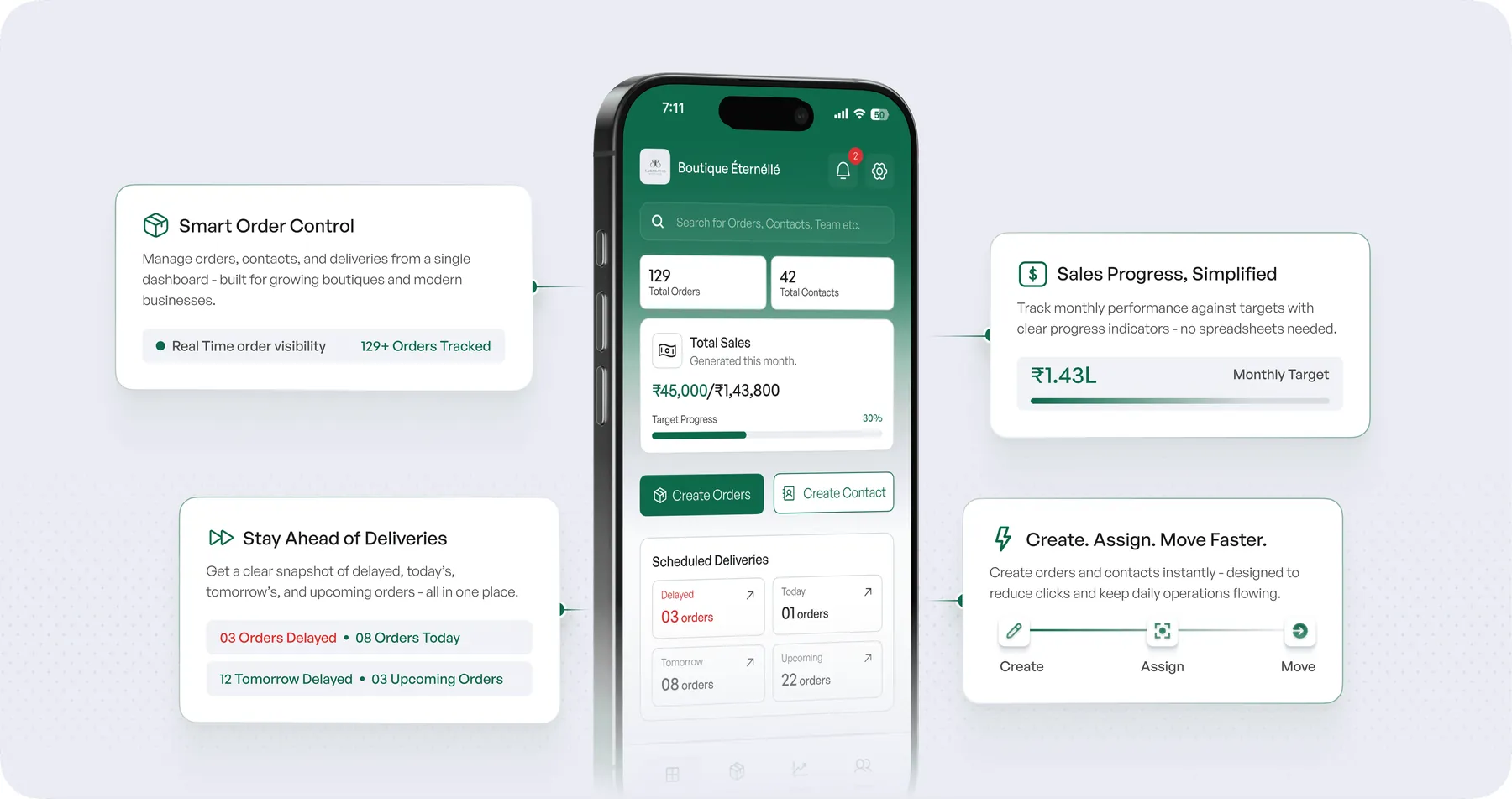
Profile & Revenue Insights
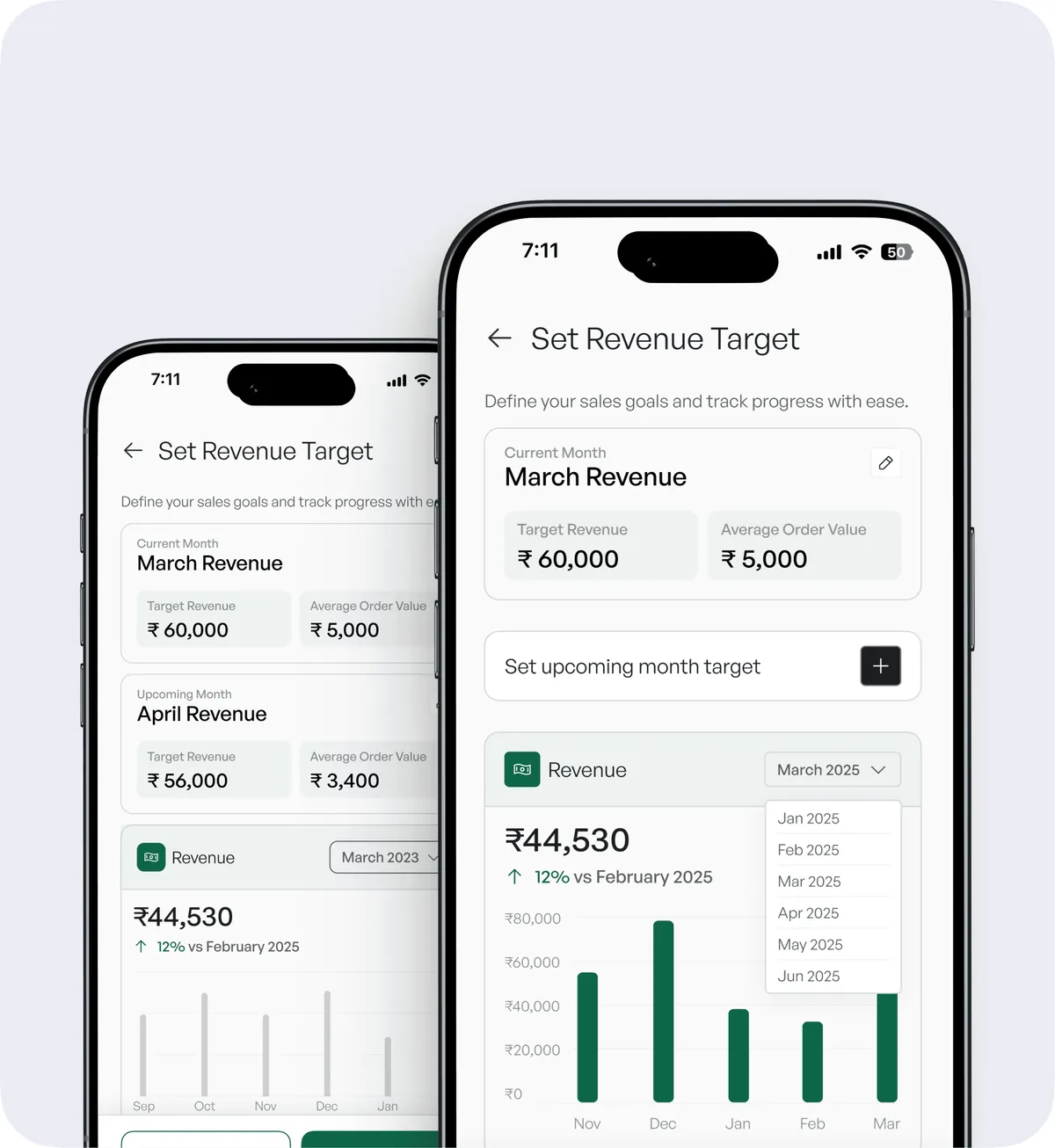
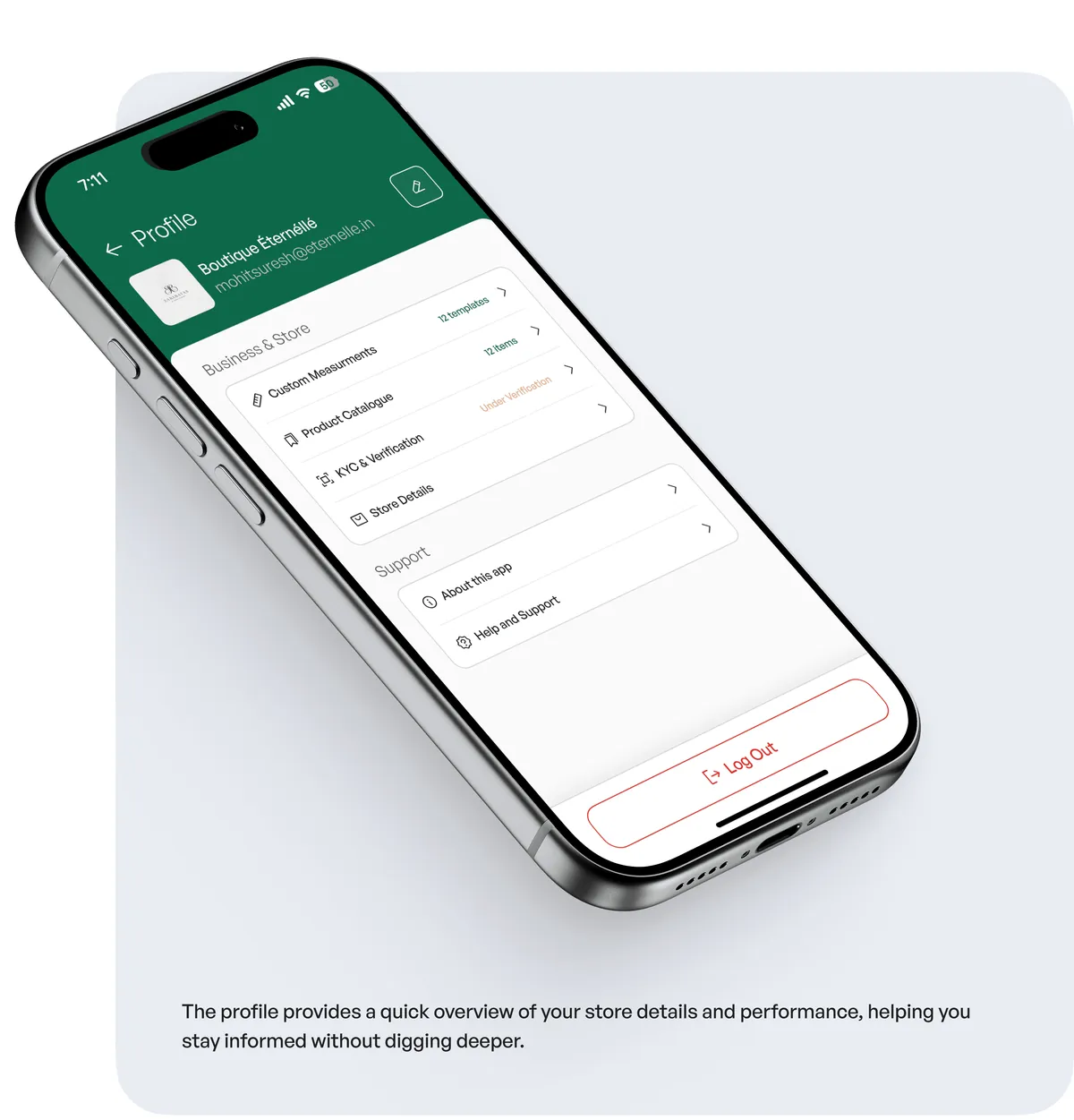
View your store details and track revenue performance directly from your profile. Set monthly targets, monitor progress, and understand how your business is performing over time.
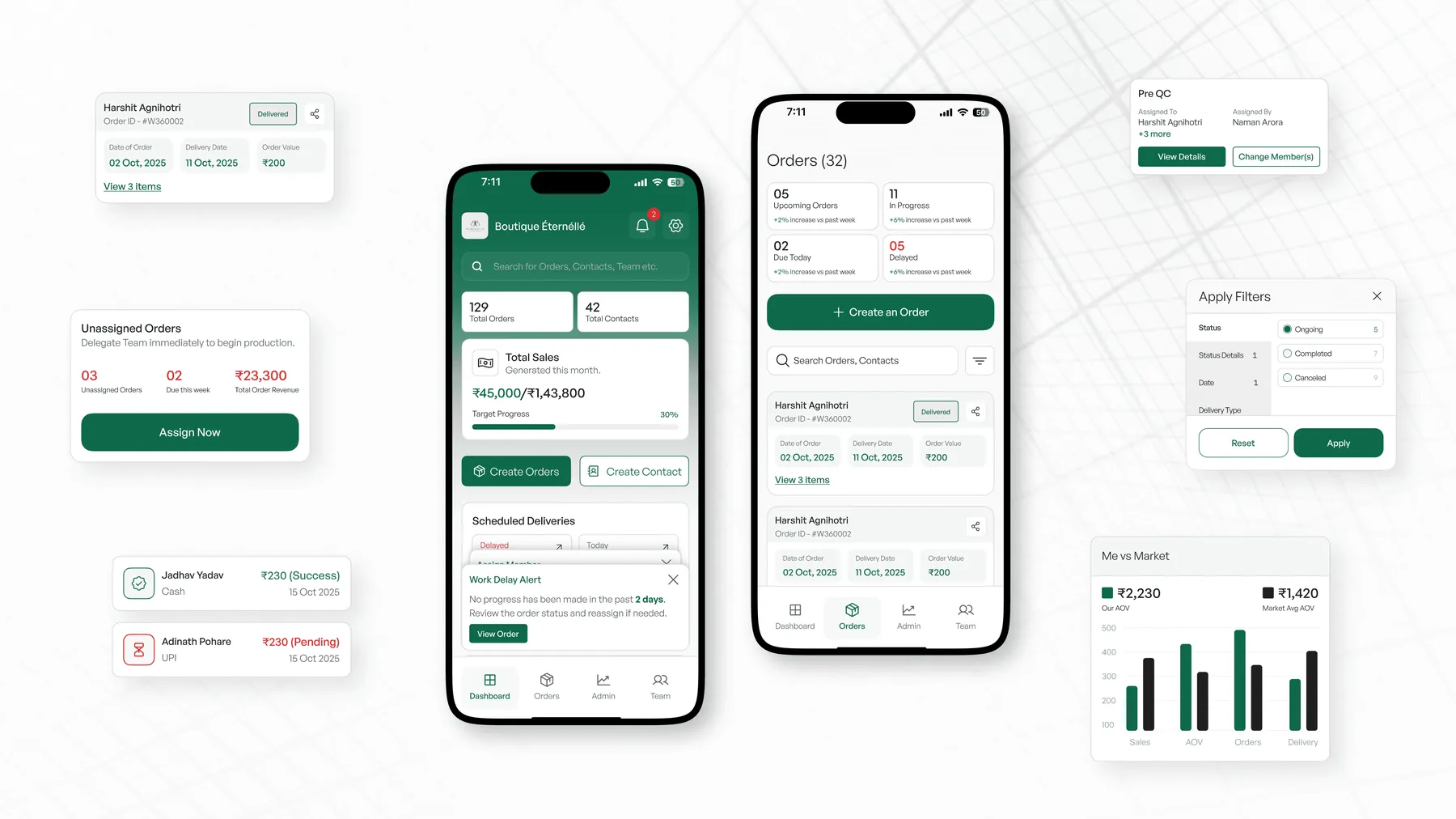
Assign Existing or New Team Members
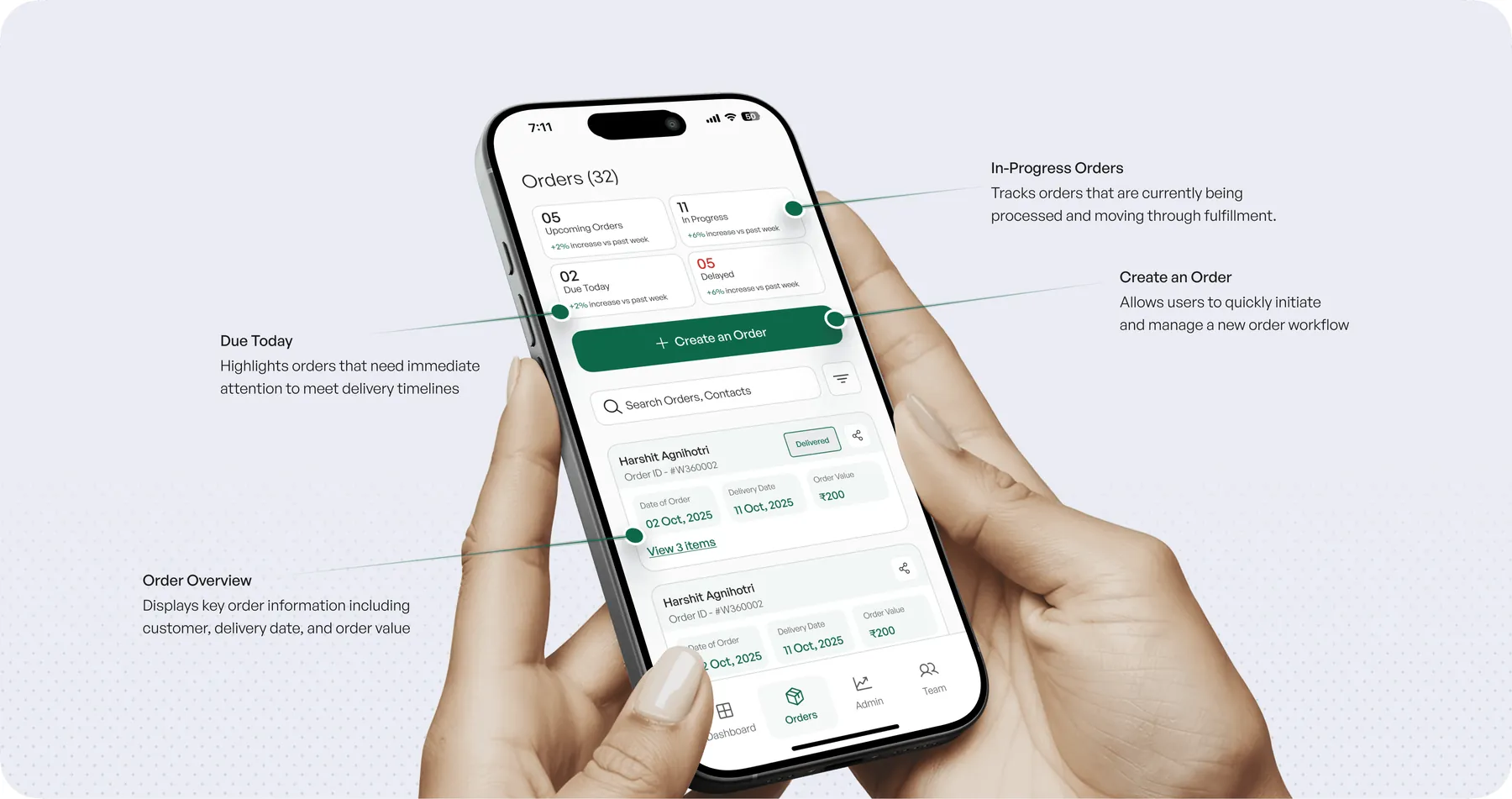
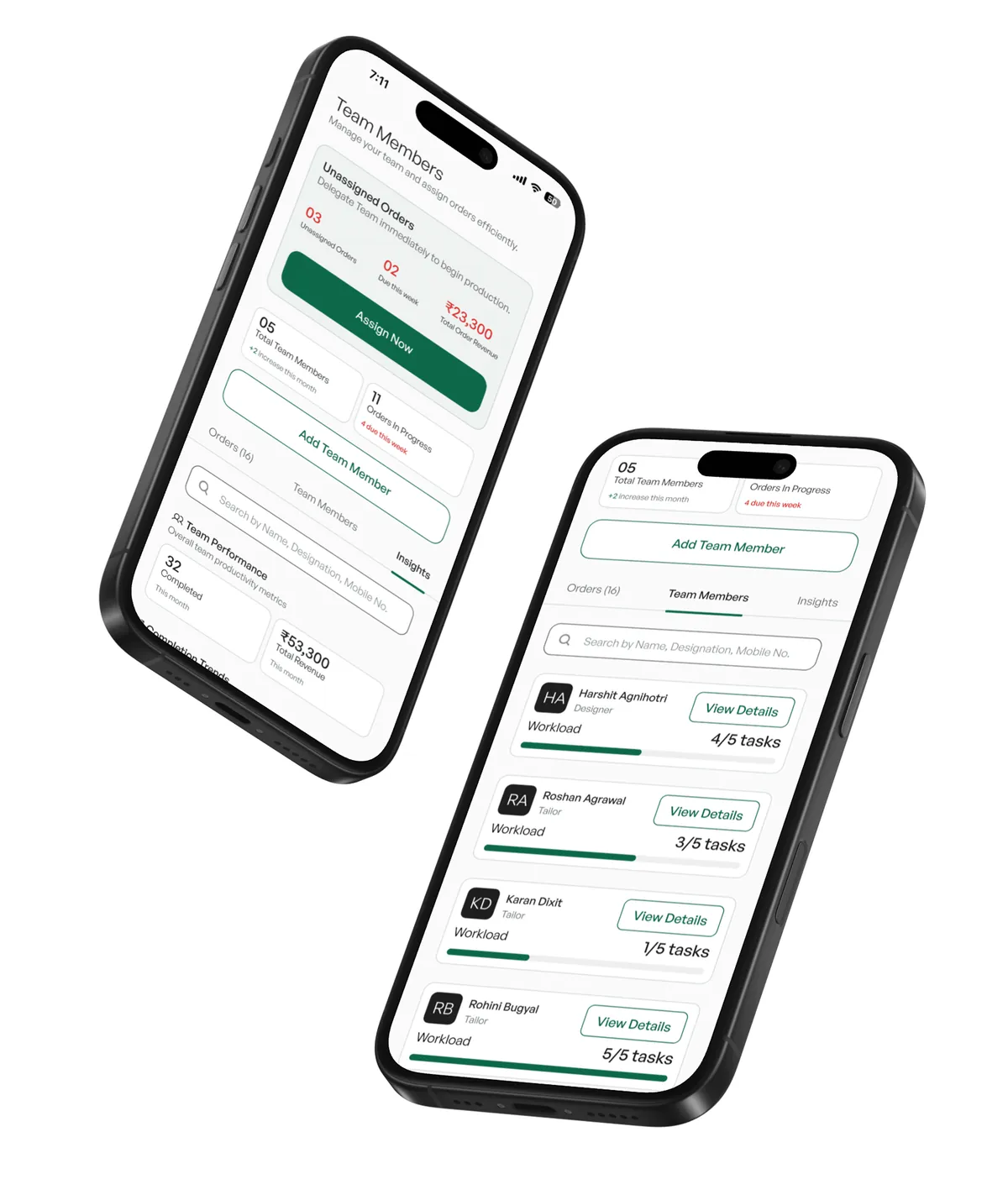
Assign orders to existing team members or create team members instantly and add them to existing orders. Also get to see unassigned orders and their revenue to quickly act on those orders. Maintain your team members by getting to see which team member is working on which order and manage them.
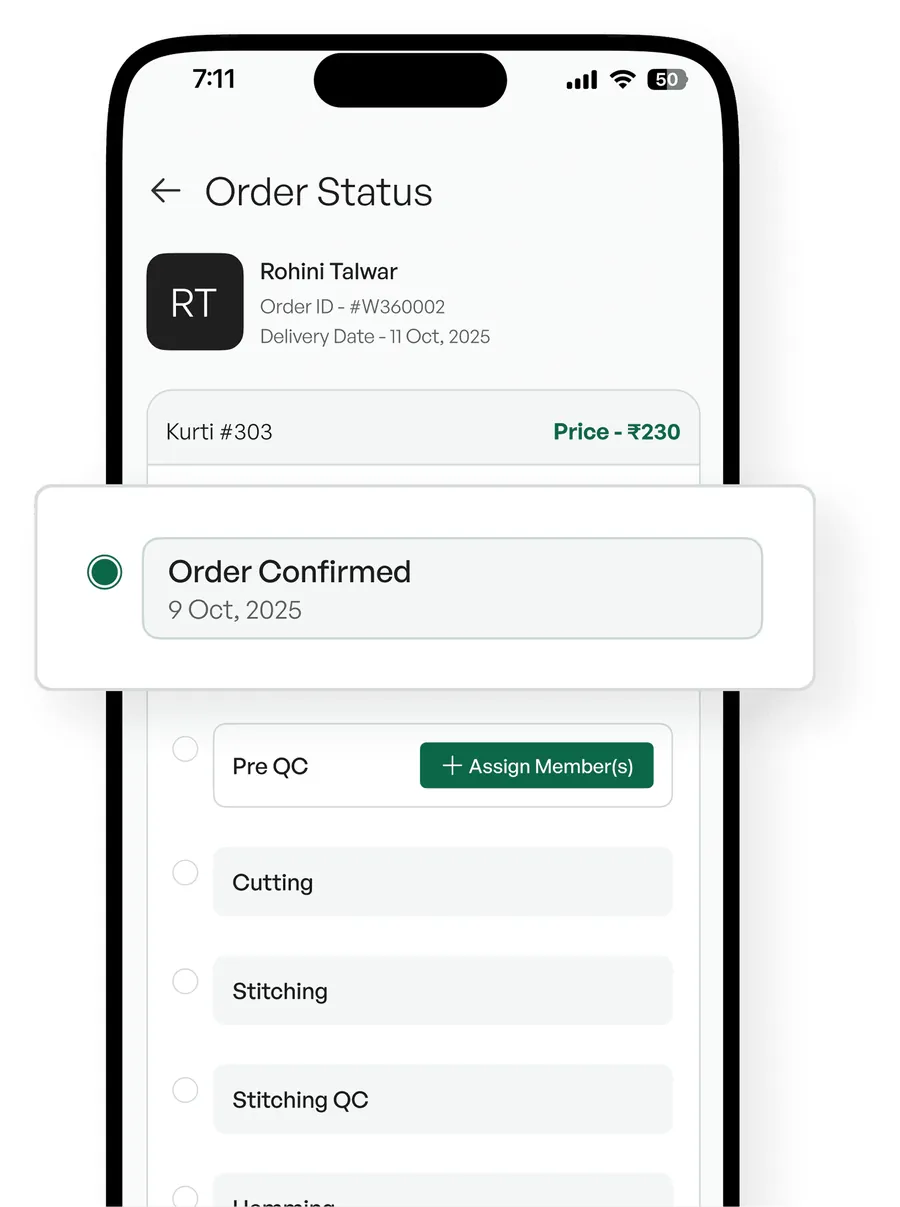
Select an Order
From the Orders page, select an order you want to assign team members to.
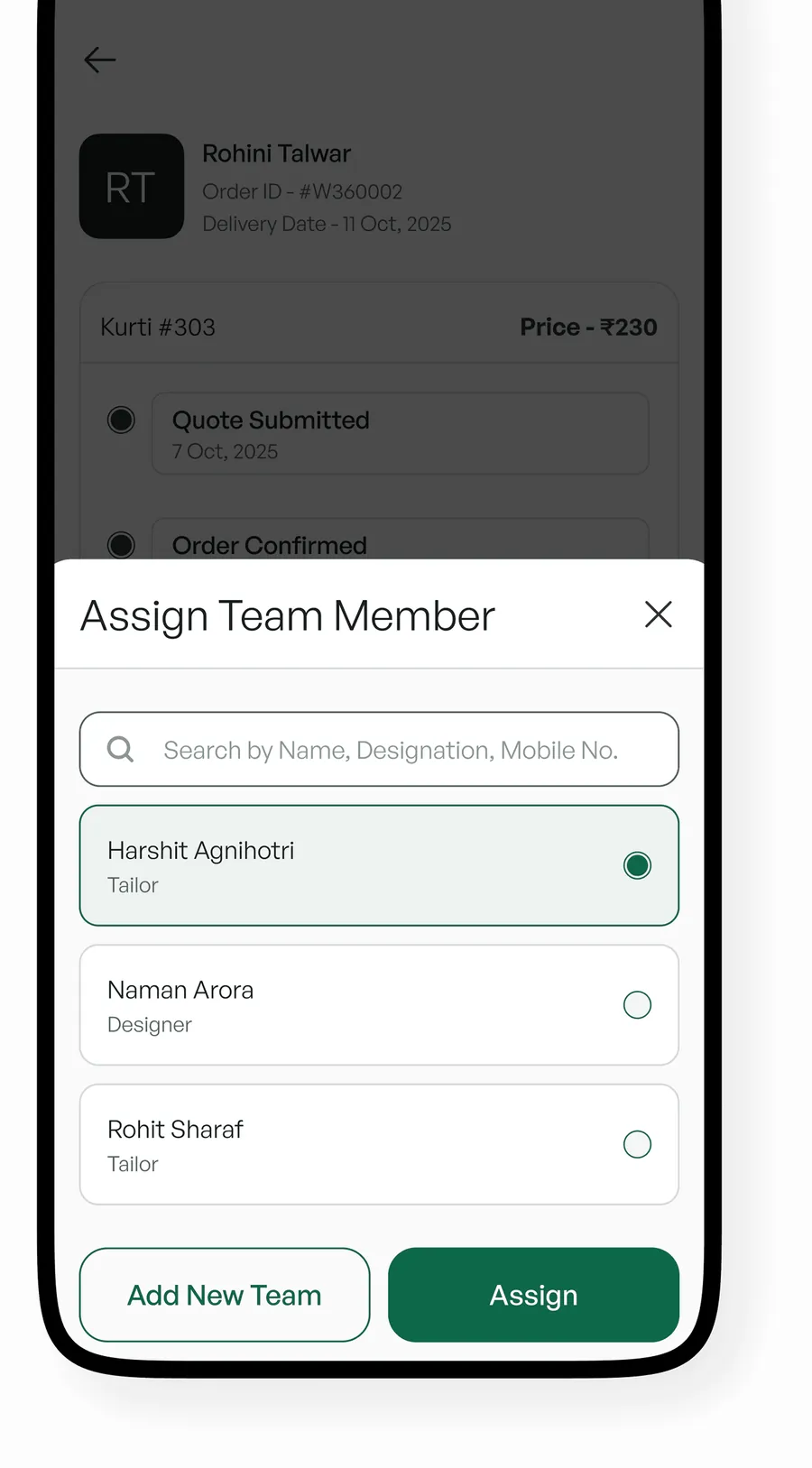
Select a Team Member
Scroll past the bottom sheet and select a existing team member.
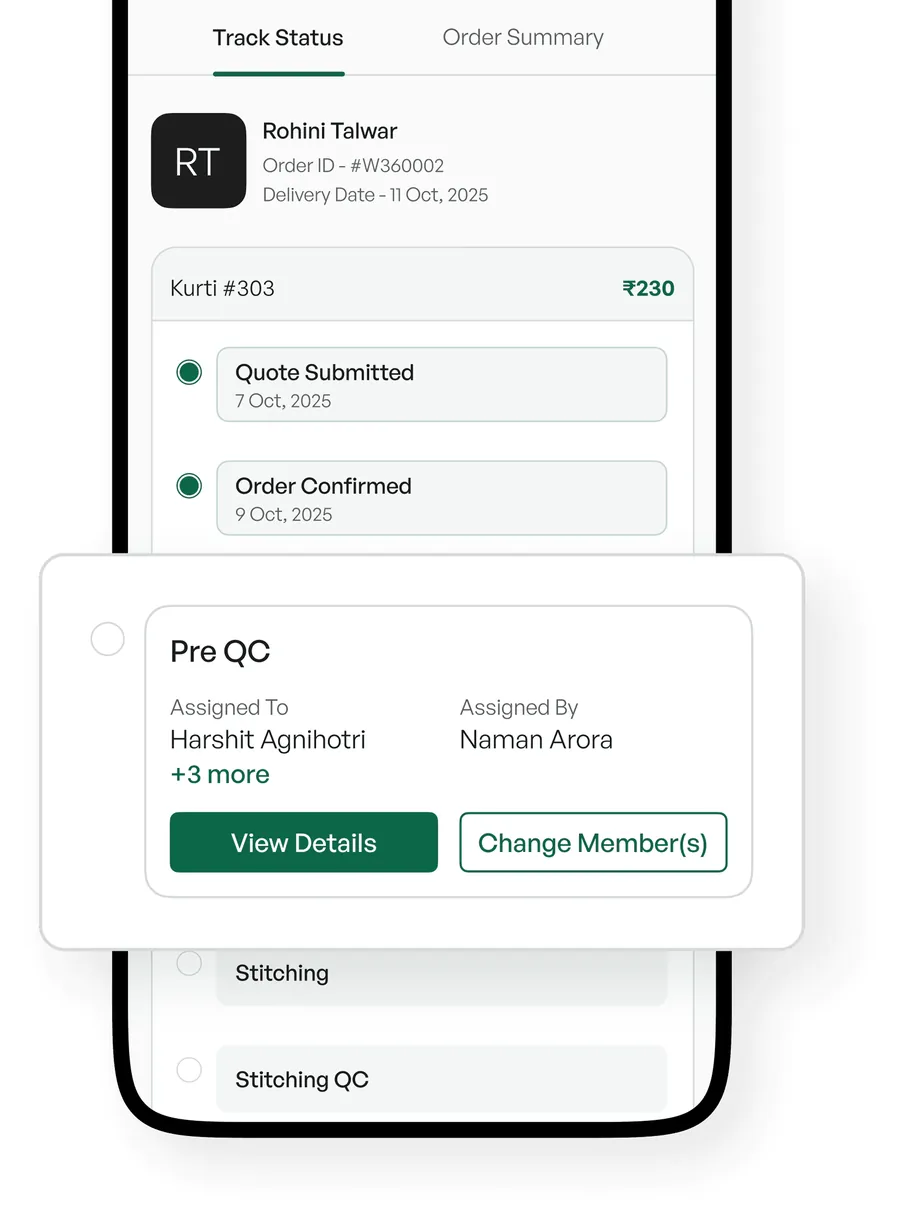
Work Gets Assigned
The card displays the team member assigned and the person who assigned the work.
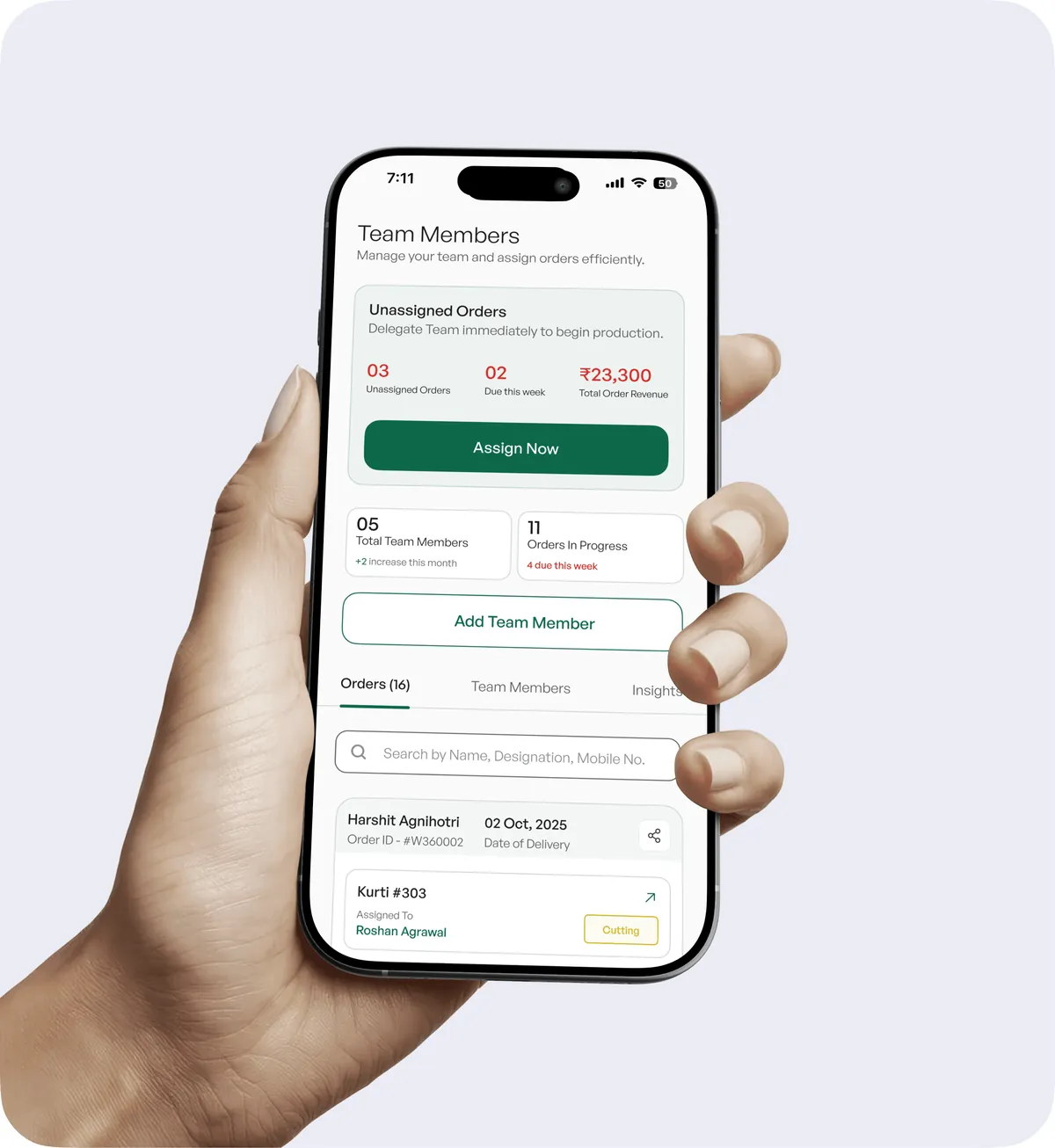
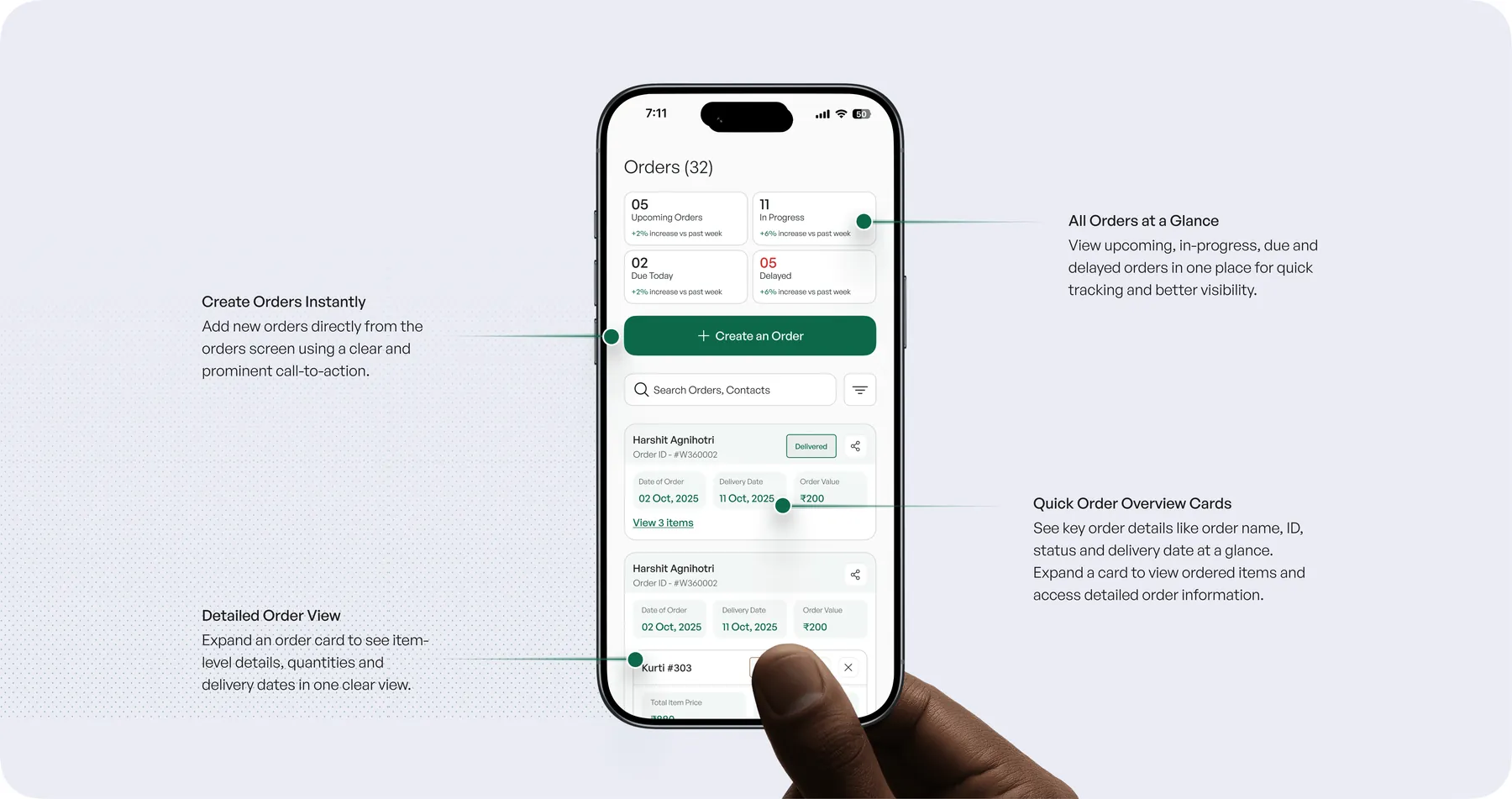
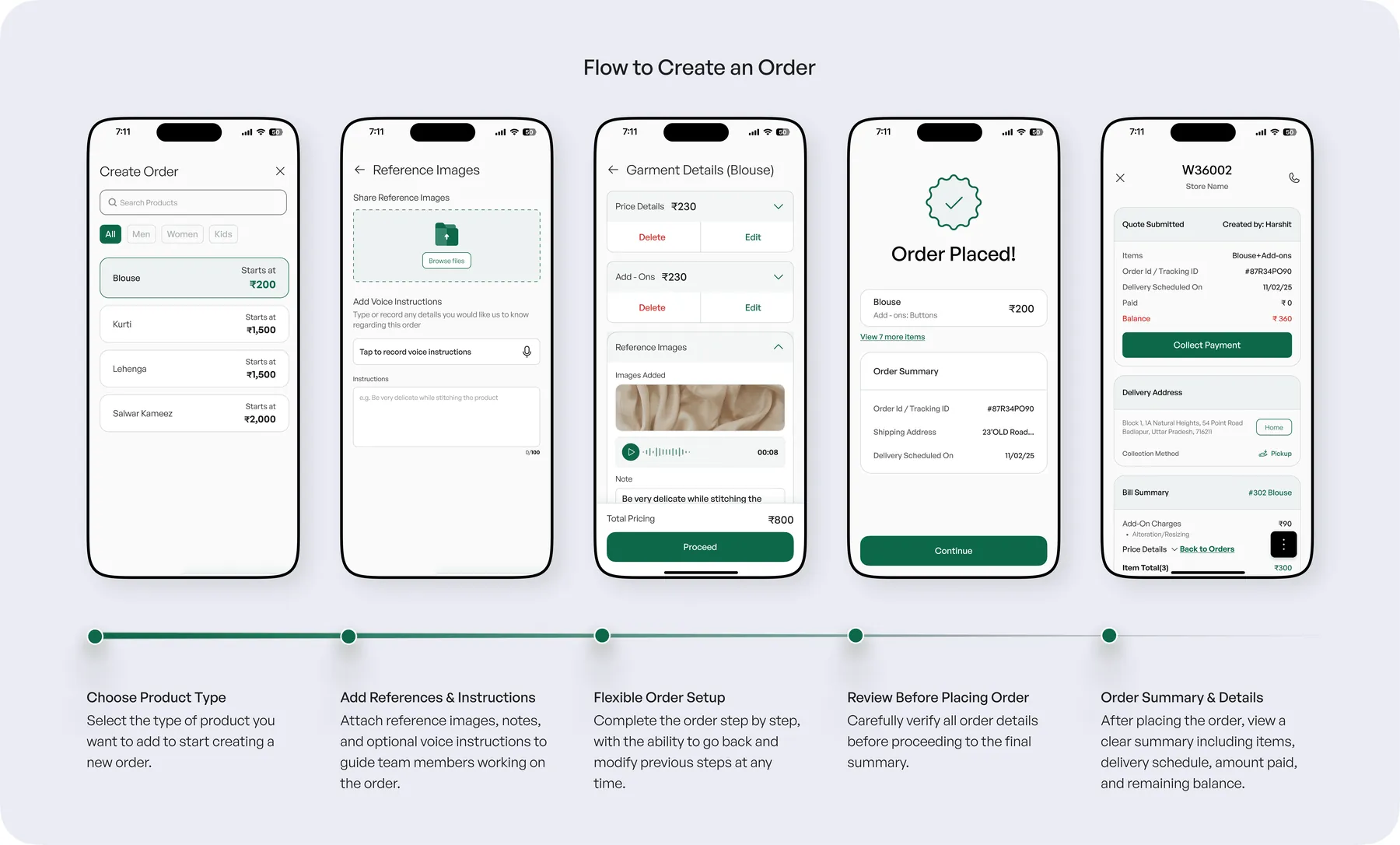
Manage and Create Orders
Assign orders to existing team members or create team members instantly and add them to existing orders. Also get to see unassigned orders and their revenue to quickly act on those orders. Maintain your team members by getting to see which team member is working on which order and manage them.